How to Convert Zaps into n8n Workflows: A Complete Migration Guide
Migrate from Zapier to n8n with migromat. Learn the 3-step process to convert your Zaps into n8n workflows using AI-assisted automation migration.
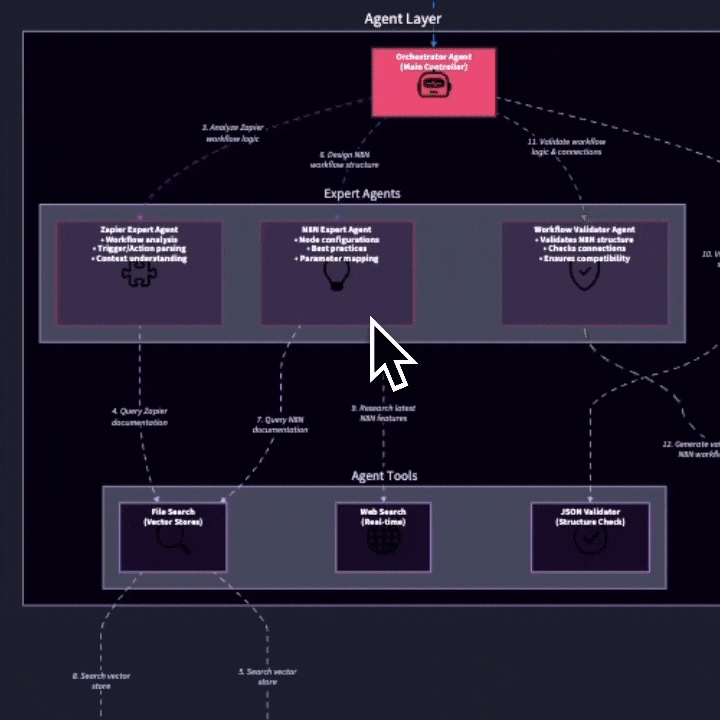
Moving from Zapier to n8n can reduce automation costs and give teams more control, but manually rebuilding every workflow is slow. migromat reads your exported Zap structure, maps the logic into n8n concepts, and gives you a reviewable workflow output.
1. Export your Zaps from Zapier
Start by getting the workflow structure out of Zapier. The export includes triggers, actions, filters, paths, and the logical flow between them, but it does not include credentials or API keys.
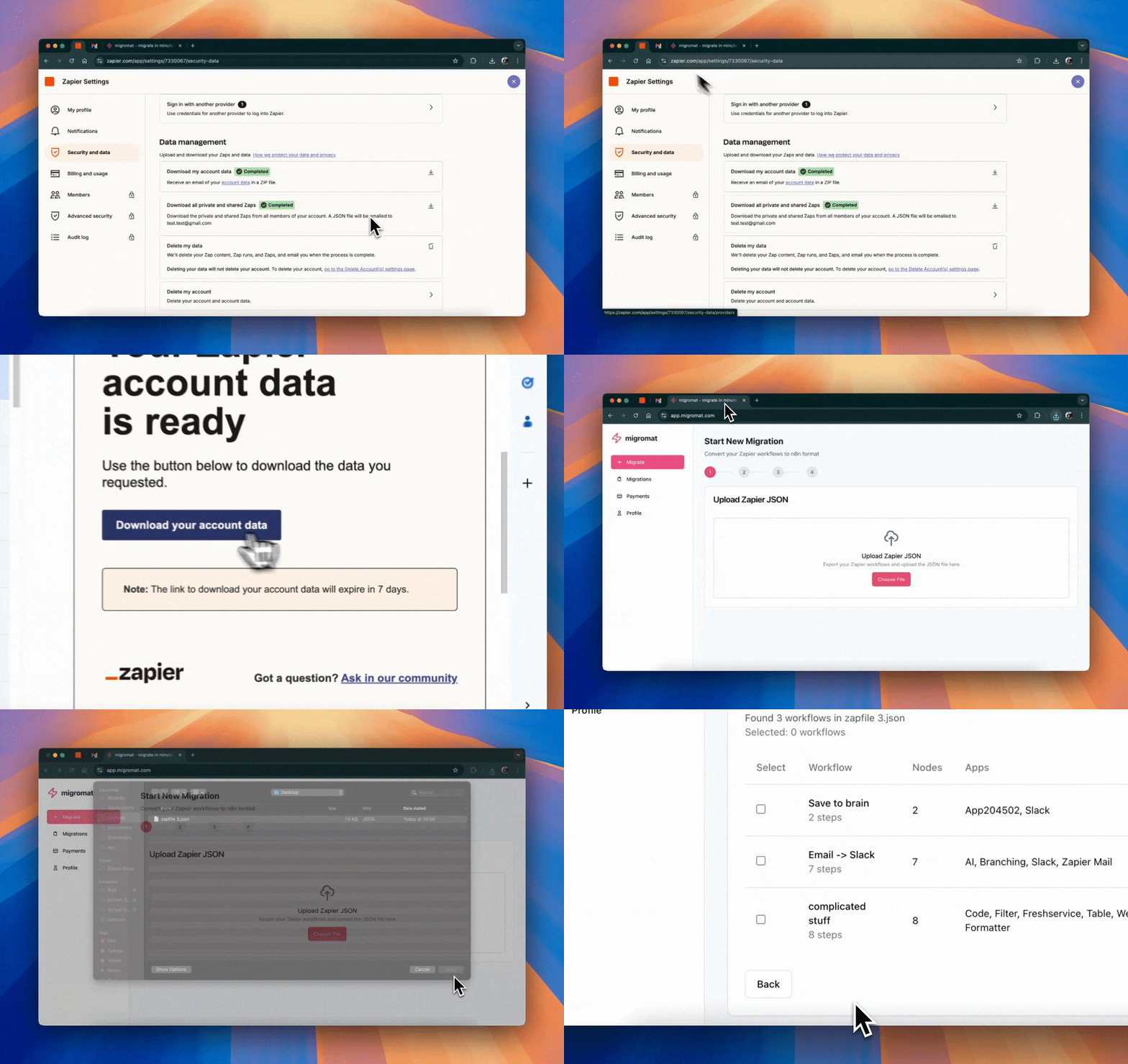
- Log in to your Zapier account.
- Open Settings, then Security and Data.
- Select Download all private and shared Zaps and use the JSON from the archive.
2. Let migromat map the workflow logic
Upload the exported Zapier data to migromat. The converter inspects the workflow structure, finds equivalent n8n nodes where possible, and flags the places that need human review.
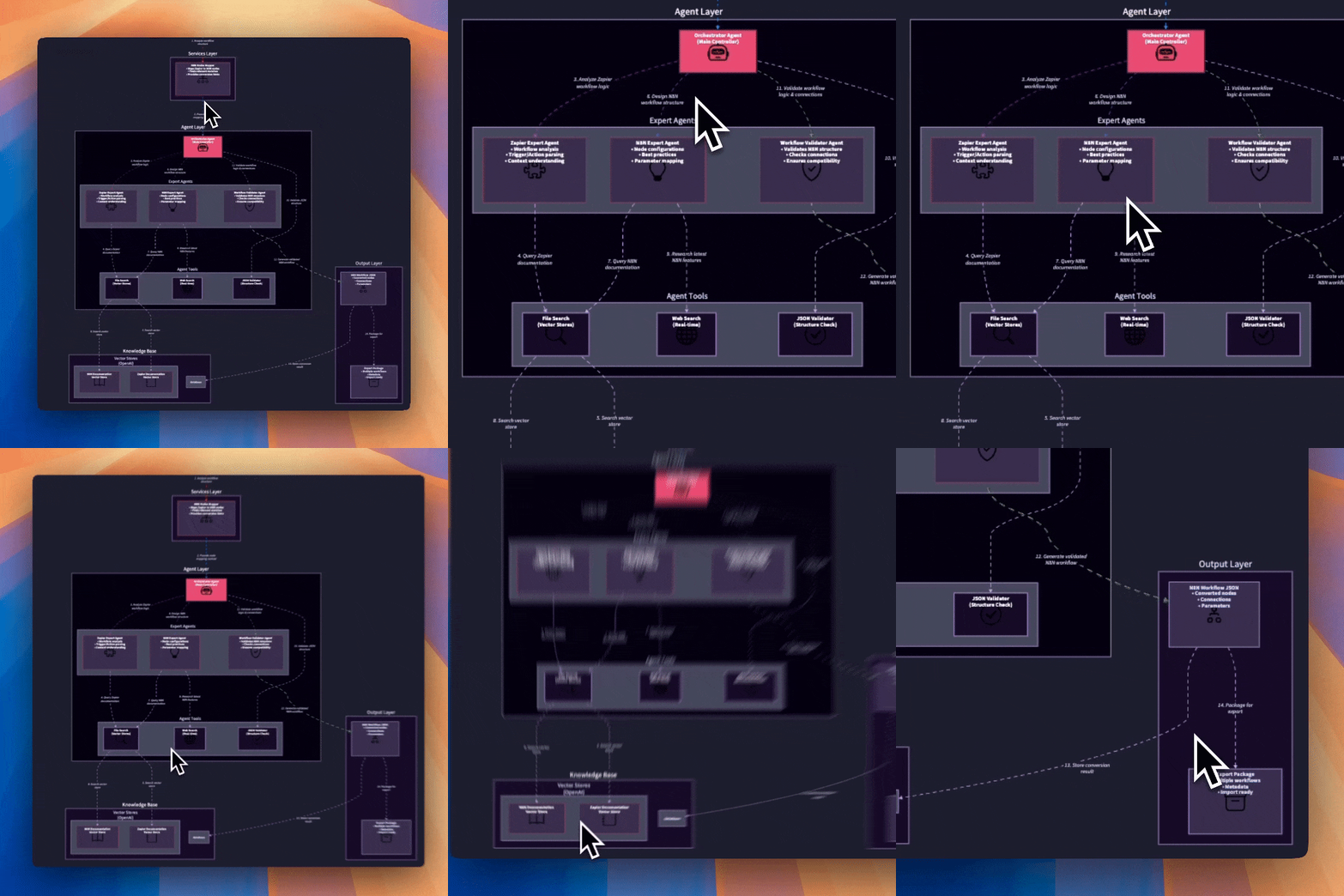
- Parse the Zapier workflow structure.
- Map triggers, actions, filters, and paths to n8n concepts.
- Prepare conversion notes for steps that need manual review.
3. Import, reconnect, and test in n8n
Once conversion is complete, export the generated n8n workflow JSON, import it into n8n Cloud or your self-hosted instance, then reconnect credentials directly in n8n.
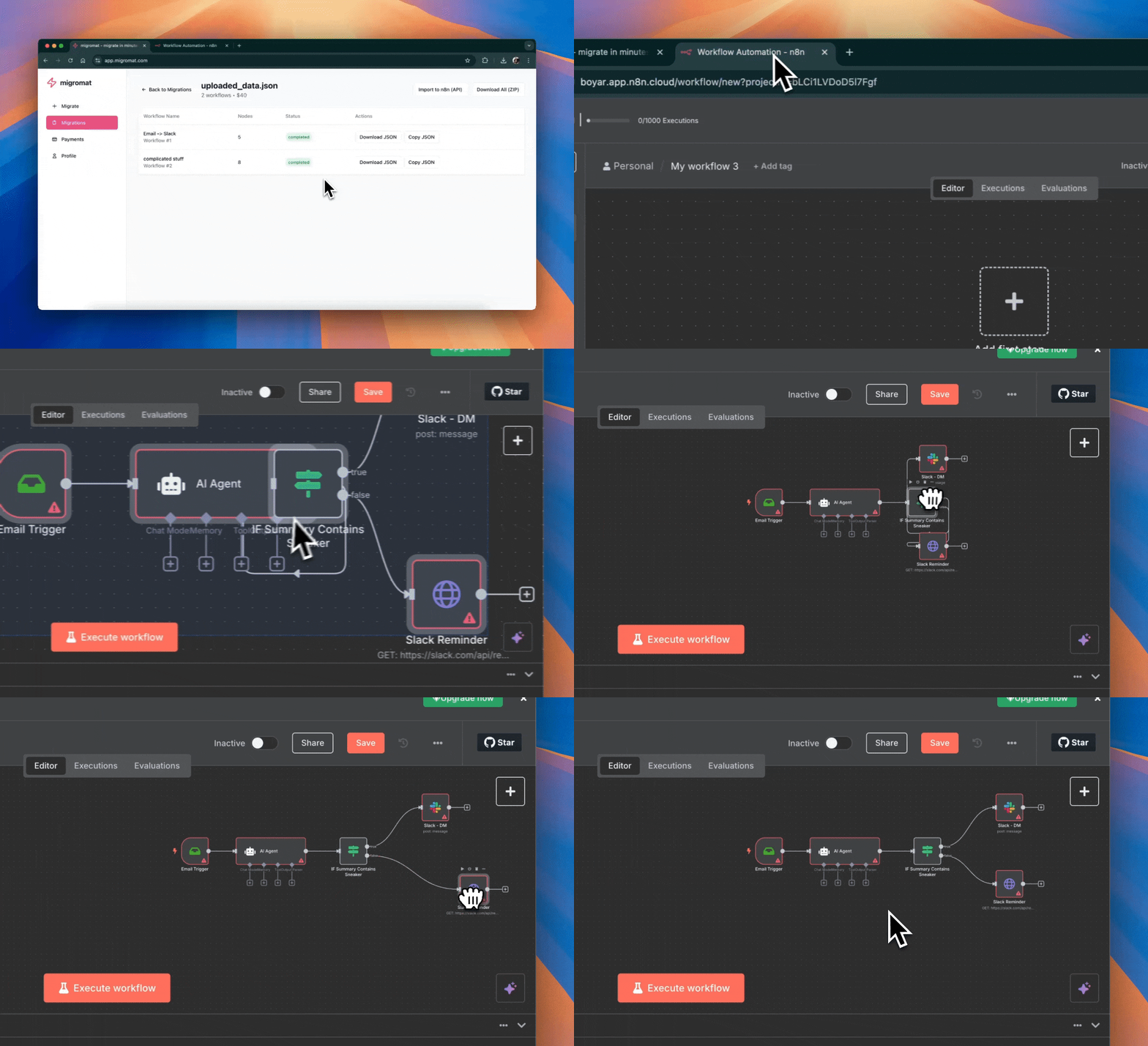
- Import the generated JSON into n8n.
- Reconnect credentials and app accounts in n8n.
- Run test executions before activating production workflows.
Ready to try the workflow?
Convert your first Zap to an n8n workflow, review the generated structure, reconnect credentials inside n8n, and test with representative data before activation.
Start your migration